Faceless accounts are some of the easiest pages to grow right now. A history-facts slideshow, a “5 things nobody tells you about X” carousel, a quote page. No camera, no voice, and nobody needs to know who runs it. What kills most of them isn’t the content. It’s posting every single day to TikTok, Instagram, X and LinkedIn by hand until you get bored in week three.
So I built the boring part away. This is the setup I use: an AI agent writes the idea, the slides and the caption, and SchedPilot’s MCP server (or its REST API, if you prefer n8n) schedules everything across every account. You write one prompt, and a week of faceless posts lands in your calendar.
Disclosure: I built SchedPilot. Everything below uses the public API and MCP server, so you can copy it as-is.
What the system does
One agent, one prompt, three jobs:
- Writes a faceless content idea, the slide text and a caption
- Builds the post: an Instagram carousel, a TikTok photo slideshow, an X thread, or a full faceless video rendered by any video API
- Schedules it to up to 9 networks (X, LinkedIn, Instagram, TikTok, Threads, Facebook, Pinterest, Bluesky, YouTube), where it waits in your calendar for a quick look before it goes live
There are three ways to run it. Version A is Claude plus the SchedPilot MCP, no code at all, set up in about 10 minutes. Version B is an n8n workflow calling the REST API, which runs on a timer without you opening anything. Version C plugs a video generation API into that n8n workflow, so the system makes actual faceless videos and posts them to TikTok, Reels and Shorts. Start with A. Most people never need C, but it’s the fun one.
What you need
An AI agent that speaks MCP. Claude (claude.ai or Claude Desktop), Claude Code, ChatGPT, Cursor, Windsurf or Hermes all work. I’ll use Claude in the examples.
SchedPilot. Connects your social accounts and does the actual posting. There’s a 7-day trial for $0, and you’ll need a plan with API access for the n8n version.
Optional: n8n and an image model. Only for Version B. Any image model that returns a URL works (I use Recraft on Replicate because it renders text on images cleanly).
Optional: a video API. Only for Version C. Creatomate, Shotstack, JSON2Video, HeyGen, Runway, or Kling and Veo through fal.ai or Replicate. I compare them below.
Step 1. Connect your accounts
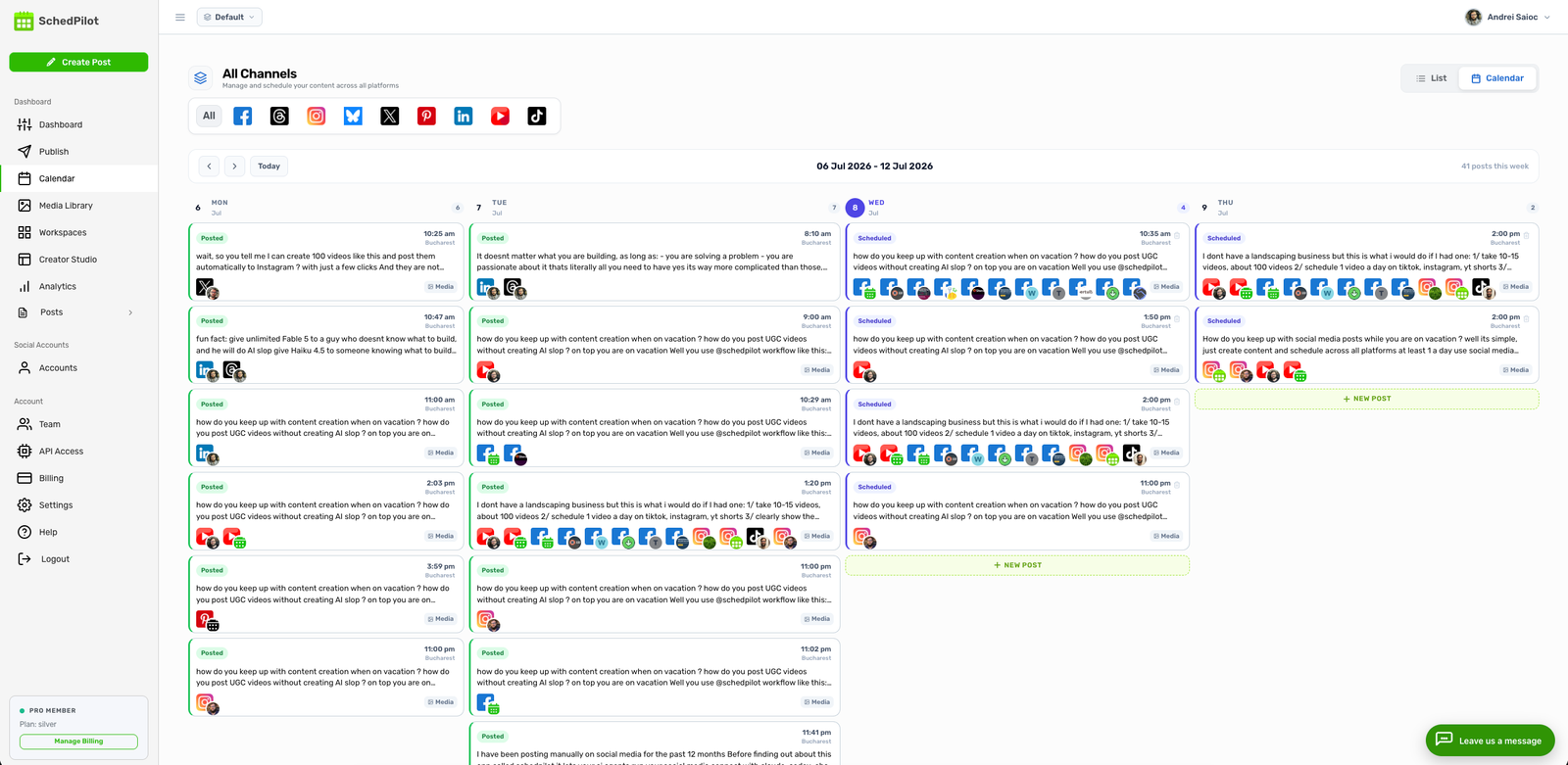
Log in to app.schedpilot.com and connect the faceless accounts you want to post to. It’s OAuth through the official platform APIs, so no passwords get shared. For a first test, one Instagram or one TikTok account is enough. Add the rest once the first post goes through.
While you’re in there, upload 20 to 30 background images to your media library (dark gradients, stock textures, blurred city shots, whatever fits your niche). The agent will reuse them for carousel slides, so you don’t need an image generator for Version A at all.
Step 2. Plug SchedPilot into your agent
If your client supports custom connectors (Claude and ChatGPT do), there’s nothing to install. Add a connector pointing at this URL and sign in with your SchedPilot account:
https://api.schedpilot.com/mcpFor local clients (Claude Desktop, Cursor, Windsurf, Hermes), create an API key at app.schedpilot.com/api-access. It starts with smm_ and is shown once, so save it. Then add this to the client’s MCP config file:
{
  "mcpServers": {
    "schedpilot": {
      "command": "npx",
      "args": ["-y", "schedpilot-mcp"],
      "env": {
        "SCHEDPILOT_TOKEN": "smm_your_key_here"
      }
    }
  }
}
In Claude Code it’s one line, and it’s available right away without a restart:
claude mcp add schedpilot -s user -e SCHEDPILOT_TOKEN=smm_your_key_here -- npx -y schedpilot-mcpYou need Node 18 or later for the npx version. To check it worked, type “Show me my SchedPilot accounts”. If you get your accounts back with their IDs, you’re done with setup.
Step 3. Understand what the agent is calling
You don’t have to touch any of this, but it helps when something breaks. The agent picks from a small set of tools: get_accounts, list_posts, list_media, upload_media, create_post, delete_post and get_analytics, plus format-specific ones for faceless content. The two I lean on most:
create_instagram_carousel takes 2 to 10 images and one caption. The useful trick is that each slide can carry a text field (up to 200 characters), and SchedPilot burns it onto the image as a caption bar. That’s what lets you turn plain backgrounds into a faceless “facts” carousel with no design work. Slides with text are cropped to 4:5 portrait.
{
  "accounts": [{ "id": 23, "type": "instagram" }],
  "slides": [
    { "media_id": "image-101", "text": "The Eiffel Tower was supposed to be torn down in 1909." },
    { "media_id": "image-102", "text": "It was saved because it worked as a radio antenna." },
    { "media_id": "image-103", "text": "Follow for one forgotten history fact a day." }
  ],
  "content": "Paris almost lost its most famous landmark. #history #paris #facts",
  "date": "2026-11-03",
  "time": "18:00",
  "timezone": "Europe/Bucharest"
}
create_tiktok_slideshow takes 1 to 35 images. TikTok posts the slides exactly as they are, so the text has to be on the image already (vertical 1080×1920 works best). You can let TikTok pick a sound with music: "auto", or send it to your TikTok inbox with "draft" and choose a trending sound yourself. I do the second one. The API can’t pick a specific track, and the right sound matters more than anything else on a slideshow.
For X, create_post accepts a replies array, so the same idea turns into a thread: the hook as the main tweet, one fact per reply, 280 characters each.
Step 4. The prompt
This is the part you’ll actually edit. Swap the theme, the accounts and the time zone, then paste it into Claude:
# INSTRUCTIONS

1. Call get_accounts. Find my Instagram and X accounts.

2. Call list_posts and read my last 20 posts so you don't repeat a topic.

3. Brainstorm 30 faceless post ideas for the theme "little-known history facts
   about famous landmarks". Pick 7 at random that I haven't covered.

4. For each idea, write 5 slides:
   - Slide 1: a hook under 12 words that makes people want the answer.
     No greetings, no "Did you know".
   - Slides 2-4: one fact each, under 25 words, simple language, real dates and numbers.
   - Slide 5: "Follow for one forgotten fact a day."

5. Write a caption for each: 2 short sentences, no emojis, 3 hashtags at the end.

6. Call list_media and pick 5 background images per post. Don't reuse the same
   image twice in one carousel.

7. Schedule each one with create_instagram_carousel, putting the slide text in
   each slide's "text" field. One per day for the next 7 days at 18:00 Europe/Bucharest.

8. Turn each idea into an X thread with create_post: slide 1 as the main post,
   slides 2-4 as replies. Same days, 19:00.

9. When you're done, give me a table: date, topic, hook, post IDs.
That’s 14 posts from one message. They all show up in the SchedPilot calendar, so read the hooks before the week starts. The agent gets facts wrong sometimes (a date off by a decade, a “fact” that’s really a myth), and a faceless history page lives or dies on being right. Five minutes of checking on Sunday is the whole job now.
Step 5. Test run, and the errors you’ll hit
For the first run, cut the prompt down to one post and one account. If it’s TikTok, ask for privacy_level: "SELF_ONLY" so only you can see it. The agent should ask you about privacy anyway, because TikTok requires it unless the post goes to drafts.
The problems I see most often, in rough order of how often people hit them:
- Posts landing at the wrong hour. Time zone defaults to UTC. Always put yours in the prompt.
- 403 on create. A media ID that doesn’t exist or isn’t yours. The whole request fails rather than quietly dropping the image, which is annoying but better than a carousel missing a slide.
- 429 Too Many Requests. The limit is 30 writes an hour and 60 reads. A 14-post week fits. A 60-post month in one go doesn’t, so split it into two runs.
- X tweets over 280 characters fail at publish time, not when scheduled.
- You can’t mix images and video in one post.
- Instagram shows every carousel image at the first one’s shape. Keep them all the same size.
Version B: fully on autopilot with n8n and the REST API
Version A still needs you to send a prompt once a week. If you want zero clicks, move the same logic into n8n. The workflow is six nodes: a Schedule Trigger (daily at 07:00), an OpenAI node that returns the script and caption as JSON, an image model node that renders each slide with the text on it, an HTTP node that downloads the image, an HTTP node that uploads it to SchedPilot, and a final HTTP node that schedules the post.
The upload is a multipart request with the file in a field called file:
curl -X POST "https://api.schedpilot.com/developers/v1/media/upload" \
  -H "X-API-KEY: smm_your_key_here" \
  -F "file=@slide-1.png"

# returns
{ "media_id": "image-42", "type": "image", "mime_type": "image/png" }
Then collect the media IDs and schedule the post:
curl -X POST https://api.schedpilot.com/developers/v1/post \
  -H "X-API-KEY: smm_your_key_here" \
  -H "Content-Type: application/json" \
  -d '{
    "content": "Paris almost lost its most famous landmark. #history #paris #facts",
    "date": "2026-11-03",
    "time": "18:00",
    "timezone": "Europe/Bucharest",
    "accounts": [
      { "id": 23, "type": "instagram" },
      { "id": 31, "type": "threads" }
    ],
    "attachments": ["image-42", "image-43", "image-44"]
  }'
A 202 Accepted with a post_id means it’s queued. Get your account IDs first with GET /accounts, and if you want to know when a post goes live or fails, set up a webhook instead of polling. SchedPilot also has custom n8n nodes if you’d rather not hand-build the HTTP requests.
My honest take: for one or two faceless pages, n8n is overkill. The weekly Claude prompt takes five minutes and you read every post before it goes out. n8n starts paying off around five pages, or when you’re running pages for clients and don’t want “remember to prompt Claude” on anyone’s to-do list.
Version C: faceless videos from any video API, posted with SchedPilot
SchedPilot doesn’t generate AI video, and I’m not going to pretend it does. It’s the posting layer. The video comes from whichever API you like, n8n glues the two together, and SchedPilot handles the part every video tool is bad at: getting the same MP4 onto TikTok, Reels, YouTube Shorts, X and Facebook at the right time, with the right title on each.
Which video API to plug in
Template editors: Creatomate, Shotstack, JSON2Video. You design a template once (a background clip, a caption style, a slot for the voiceover) and send the script in as variables. Out comes an MP4. This is my pick for most faceless pages: it’s the cheapest per video, every video looks on-brand, and a wrong fact means re-rendering one variable, not regenerating a whole clip. Feed them a voiceover from ElevenLabs and you’ve got the classic “AI voice over B-roll with big captions” format.
Generative video: Runway, Kling or Veo (the last two via fal.ai or Replicate). You send a prompt or a starting image and get a few seconds of generated footage. It looks great and costs far more per second. You’ll also still need to stitch clips together and add captions, so in practice people send the generated clips into Creatomate or Shotstack as the final step anyway.
Avatar video: HeyGen. An AI presenter reads your script. Technically not faceless, but it’s not your face, and it works well for explainer and news-recap pages.
Whatever you pick, they all behave the same way from n8n’s side: one request to start a render, then a render ID you check until it says done, then a URL to the finished file. That’s why the workflow has a Wait node and an IF loop at step 4. Poll every 30 to 60 seconds, or use the provider’s webhook if it has one and skip the loop.
The SchedPilot nodes
Once the render is done, add an HTTP Request node that downloads the MP4 URL with the response format set to File. n8n holds it as binary data. Then a second HTTP Request node uploads it to SchedPilot: method POST, URL https://api.schedpilot.com/developers/v1/media/upload, a header X-API-KEY with your key, body content type Form-Data, one field named file of type n8n Binary File, input field data. Files up to 5 GB are fine, and MP4, MOV and WEBM all work. SchedPilot answers with something like {"media_id": "video-7"}.
The last node schedules it. This is the JSON body, with n8n expressions pulling the caption and title from the script node and the media ID from the upload node:
{
  "content": {{ $('Write Script').item.json.caption.toJsonString() }},
  "title": {{ $('Write Script').item.json.title.toJsonString() }},
  "date": "{{ $now.plus({days: 1}).toFormat('yyyy-MM-dd') }}",
  "time": "18:00",
  "timezone": "Europe/Bucharest",
  "accounts": [
    { "id": 41, "type": "tiktok" },
    { "id": 23, "type": "instagram" },
    { "id": 52, "type": "youtube" }
  ],
  "attachments": ["{{ $('Upload to SchedPilot').item.json.media_id }}"]
}
The title field matters on YouTube, where it’s the main way people find a Short. If you skip it, SchedPilot uses the first line of the caption, which is usually a hashtag-heavy mess. Ask your script node for a separate title under 100 characters.
Two limits to plan around. Every video is two writes (the upload and the post), and the write limit is 30 an hour, so one workflow run can push about 15 videos. And add a webhook in SchedPilot pointed at an n8n Webhook node, so a failed publish lands in your Slack or inbox instead of you finding out from a dead account a week later.

Using SchedPilot as the connector: API in, MCP out
Here’s the setup I actually run, and I think it beats the fully automatic version. n8n does the heavy, boring part over the API: it renders videos overnight and uploads them to the SchedPilot media library. It stops there. It doesn’t post anything.
Then in the morning I open Claude, which is connected to the same SchedPilot account through the MCP, and say something like: “Call list_media, take the 7 newest videos, write a caption and a YouTube title for each, and schedule one a day at 18:00 to TikTok, Instagram and YouTube.” Claude sees the same media IDs n8n just uploaded, so there’s no copying files around. The agent writes better captions when I’m in the loop (“make Thursday’s hook less clickbaity”), and I’ve watched every video before it goes out.
It works because both doors open into the same room. One smm_ key authenticates the REST API and the MCP server, uploads from either side show up in the same library, and every post lands in one calendar no matter who scheduled it. You can also flip it around: let Claude upload clips from public URLs with upload_media and have n8n call the list posts and post analytics endpoints every Monday to build a report.
If you’re starting a faceless page from zero, I’d still begin with carousels and slideshows from Version A. They’re cheaper, faster to fix, and TikTok photo posts still get pushed hard. Add video once you know which topics people actually watch.
Need more help?
1/ If you want to run faceless pages, client accounts or your own brand on autopilot, try SchedPilot free for 7 days.
2/ Every endpoint and MCP tool is in the SchedPilot docs, including the MCP quickstart for each client.
3/ Comparing options? I tested the alternatives in 9 best social media scheduling APIs for developers. And if you want to build your own agent tools, start with how to build an MCP server.