If you still post to Instagram whenever you remember, your growth is probably random at best. A good instagram scheduling tool turns frantic last minute uploads into a calm, predictable content rhythm. When I finally embraced instagram scheduling tools properly, my notifications became less noisy and my results more consistent. You should not have to babysit your phone just to keep your feed alive every single day.
This guide walks through the best instagram schedulers that actually support real workflows, not just pretty screenshots. We will look at each instagram scheduler with a practical lens, from solo creators to busy agencies. By the end, you should know which instagram scheduling app deserves a place in your dock.
Lets find what is the best instagram scheduler tool and how instagram management works in the real business world.
What to look for in an Instagram scheduling tool
Before you pick any instagram scheduling tool, you need to be clear about the job it must do. Some brands only need a lightweight instagram post scheduler for feed posts, while others require serious workflow automation. I always start by listing what must be automated, what should stay manual, and where analytics really matter. Without that little reality check, every shiny instagram publishing tool will look perfect for about five minutes. Your future self will thank you for doing this boring reflection now, I promise.
When comparing instagram posting tools, pay attention to a few very practical pillars. Think about how each instagram planning tool fits your daily habits, not only your long term dreams. Here is a simple checklist that I use with clients and with my own accounts.
-
Posting features for feed, stories, reels, and carousels, including any options to automate instagram posts.
-
Calendar views, queues, and labels that support a clear instagram content planner without chaos.
-
Collaboration tools, approvals, and notes for teams using social media scheduler instagram setups.
-
Analytics depth, especially if you want an instagram post manager that informs strategy.
-
Pricing and limits for brands that want to schedule instagram posts for free at the beginning.
11 Best Instagram Schedulers for 2026
1 SchedPilot
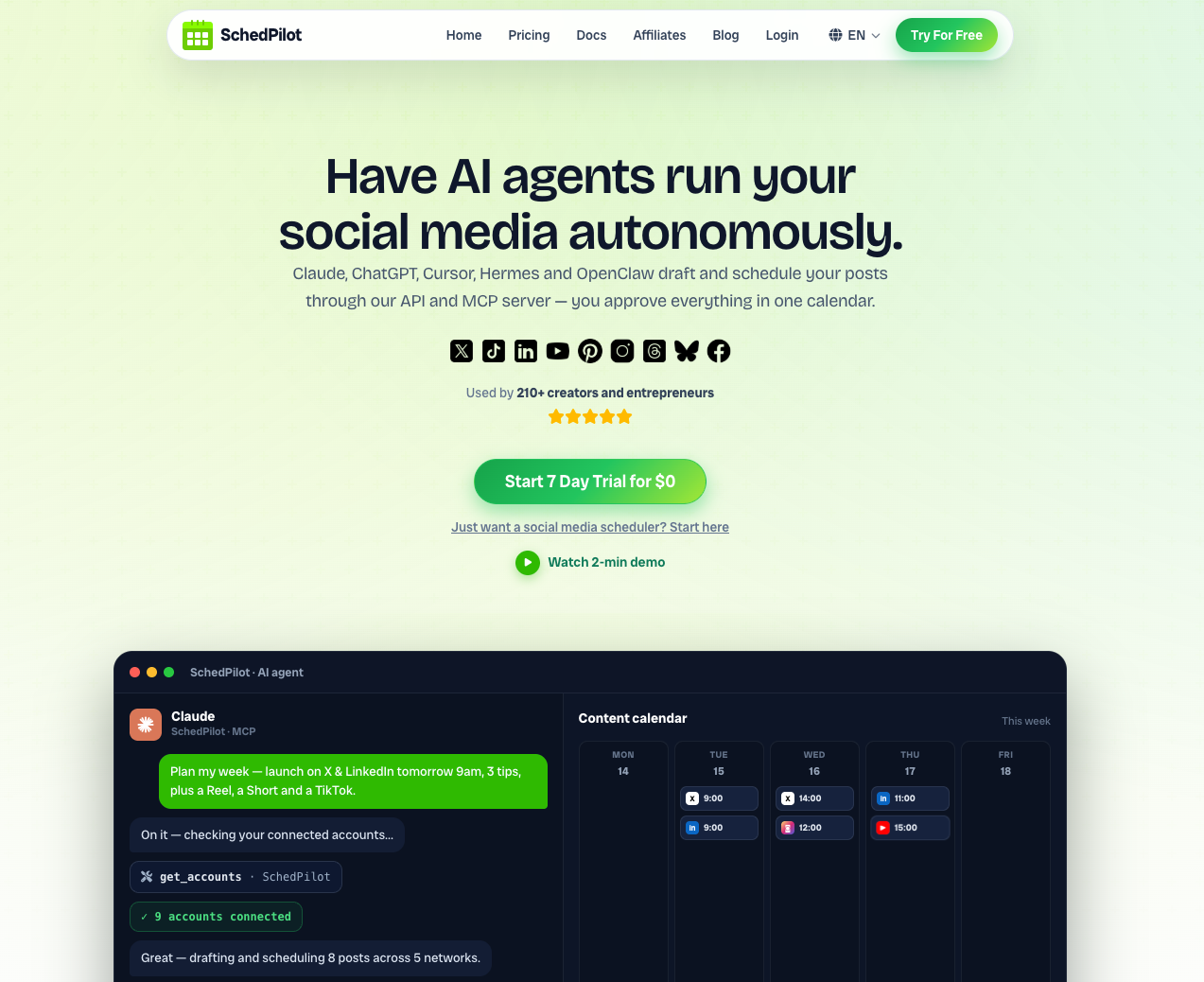
SchedPilot aims to be the best instagram scheduler for creators and small teams who want clarity, not clutter. It combines a visual calendar, queues, and a smart instagram scheduling app interface that feels fast and pleasant. I really enjoy how its instagram posting tool handles different formats while still keeping captions, first comments, and assets organised. If you want to automate instagram posts without losing control, this scheduler for instagram deserves a serious test drive.
Pros
-
Clear calendar view that works well as an instagram scheduling tool and instagram content planner together.
-
Helpful suggestions on times and frequencies, great for users learning how to schedule instagram posts.
-
Supports multi format publishing with one workflow, including reels, stories, and classic feed posts.
-
Designed with a smooth experience, so even a free instagram scheduler trial feels professional.
Cons
-
Newer brand compared with some long standing instagram scheduling tools, so niche integrations may still appear later.
-
Works best when you commit to a consistent calendar instead of very random posting habits.
-
Advanced reporting depth may require pairing with a dedicated analytics platform if you want heavy data.
2. ContentStudio
ContentStudio is what I’d reach for once a simple queue stops cutting it. It handles the basics, feed posts, carousels, reels, stories, but also throws in AI-written captions, hashtag suggestions, and best-time-to-post picks, so it’s doing a bit of the thinking for you, not just the posting. What sold me is that Instagram is treated as one piece of a bigger workflow: bulk CSV uploads, approvals, multi-client dashboards, the stuff that actually matters once you’re juggling more than one account. If you want an instagram scheduling app that can grow into a real content-ops setup instead of staying a one-trick queue, it’s worth a look.
Pros
- Direct publishing for Instagram feed posts, carousels (up to 10 images/videos), reels, and stories, no manual push-notification workaround required.
- Built-in AI writer for captions and hashtag suggestions, useful if content ideation is your bottleneck as much as scheduling.
- Bulk scheduling via CSV upload, handy for planning months of content in one pass.
Cons
- The feature depth aimed at agencies can feel like overkill if you only manage one personal account.
- Full value shows up once you’re using the calendar, approvals, and analytics together, casual users may not touch most of what they’re paying for.
3 Meta Business Suite
Meta Business Suite is the native instagram publishing tool that many brands ignore, even though it lives right beside their pages. You can schedule instagram posts free, manage Facebook content, and review basic insights inside one central dashboard. For simple workflows, I still recommend this option as a starting free instagram scheduling tool for new accounts. It will not replace a full instagram post planner free of every limitation, but it covers many daily tasks. Think of it as a baseline instagram post scheduler that you probably already have, even if you never opened it.
Pros
-
Completely free instagram post scheduler for business accounts already connected to Facebook.
-
Direct connection to the platform reduces risk of breaking changes for basic instagram scheduling.
-
Good enough for simple grids and basic campaigns without adding another subscription.
Cons
-
Interface can feel clunky compared with dedicated instagram scheduling apps focused on user experience.
-
Limited advanced planning features, so serious instagram post manager needs may exceed its scope.
-
Reporting and collaboration functions are basic for larger marketing teams.

4 Later
Later is an instagram planning tool built for visual thinkers who like to see their grid laid out before posting. Its drag and drop calendar makes it very easy to use as an instagram scheduling app and content planner. I particularly enjoy how it helps you preview stories and reels, which many instagram posting apps treat as an afterthought.
Pros
-
Excellent grid preview for brands that care deeply about visual harmony.
-
Media library helps organise assets when you use it as your main instagram post manager.
-
Supports convenient workflows for creators who rely on apps to schedule instagram posts from desktop and mobile.
Cons
-
Some advanced features and additional profiles require higher paid tiers.
-
Analytics focus more on surface engagement than deep audience or revenue insights.
-
May feel specialised if you also need broad social media scheduler instagram features for many networks.
5 Buffer
Buffer is one of the most familiar instagram schedulers, loved by solo founders and small teams for its calm interface. You create presets for posting times, drop posts into queues, and let the instagram post scheduler handle the boring part. I often recommend it as the best free instagram scheduler for people who want a clean, distraction free workspace. It is not the flashiest instagram post tool, but sometimes you just need simple and reliable. When the per-channel bill starts to bite, these alternatives to Buffer are worth a look.
Pros
-
Very beginner friendly, which makes it a strong app to schedule instagram posts for newcomers.
-
Simple queues help maintain consistent rhythm without daily manual planning.
-
Offers options to schedule instagram posts free at small scales with sensible limits.
Cons
-
Limited advanced analytics compared with specialised instagram scheduling tools.
-
Collaboration features are basic, which may restrict larger social teams.
-
Some users outgrow the queue based structure and seek more complex campaign mapping.
6 Hootsuite
Hootsuite acts as a full social dashboard where instagram scheduling is just one piece of a larger puzzle. You can manage many networks, review streams, and still rely on it as an instagram posting tool for multiple brands. When I worked with agency teams juggling clients, this platform often sat at the center of their day. If you want a single login to cover all your social media scheduler instagram needs, it is still a strong candidate. Just be ready for more complexity than a simple instagram scheduling app, because this tool does many different jobs.
Pros
-
Central hub for multiple platforms, great for agencies and larger teams.
-
Streams and monitoring support community management alongside scheduling.
-
Flexible scheduling features cover most common instagram posting tools requirements.
Cons
-
Interface can feel heavy if you only need an instagram scheduler free for basic posting.
-
Pricing tiers often push smaller users toward other instagram scheduling apps.
-
Requires some onboarding time before the dashboard feels comfortable.
7 Planoly
Planoly is an instagram planning app that focuses on visuals, calendar structure, and simple drag and drop scheduling. It works nicely as a free instagram scheduling app at small scales, especially for creators who favour aesthetic feeds. Personally, I find it very comfortable for fast brainstorming, since it doubles as an instagram content planner for photos and reels.
Pros
-
Strong focus on visual layout and feed planning.
-
Handy drafts and templates assist with quick ideation sessions.
-
Good starting point for users exploring a free instagram post scheduler with design in mind.
Cons
-
Less suited for heavy multi channel campaigns across many platforms.
-
Reporting is fairly light compared with more enterprise focused options.
-
Certain useful features sit behind higher paid levels.
8 Metricool
Metricool blends analytics and scheduling, offering a single space to study performance and manage your instagram post scheduler free limits. You can plan posts, review competitors, and check which formats truly earn engagement on each profile. I like it for marketers who want both an instagram publishing tool and a light reporting system in one interface. It feels like a good bridge between basic instagram posting apps and full analytics platforms.
Pros
-
Unified calendar across networks, including a clear view for instagram scheduling.
-
Competitor benchmarking helps refine strategy based on real market performance.
-
Reports suitable for client updates or internal meetings with limited extra work.
Cons
-
Interface can feel busy for people who only want a light free ig post scheduler.
-
Some advanced reports require higher plans beyond simple use.
-
Best suited to marketers rather than casual creators who only post occasionally.
9 Sprout Social
Sprout Social is a premium platform where the instagram scheduling tool sits inside a larger communication suite. You get sophisticated inboxes, rich reports, and powerful instagram posting tools aimed at bigger teams and serious brands. Whenever I see a marketing department managing global accounts, this software often appears on their shortlist. If you want one of the best instagram scheduling apps plus deep analytics and collaboration, Sprout absolutely qualifies. Just remember that its pricing matches its ambition, so it targets teams with real budgets.
Pros
-
Enterprise grade analytics for campaigns, posts, and profiles.
-
Strong approval workflows and permissions for distributed teams.
-
Combines instagram scheduling apps with powerful listening and engagement tools.
Cons
-
Often too expensive for freelancers or very small businesses.
-
More complex than necessary if you only need to schedule instagram posts.
-
Requires thoughtful rollout and training to use all features properly.
10 Iconosquare
Iconosquare built its reputation on deep instagram analytics, then expanded into reliable scheduling and planning features. It works nicely when you want an instagram scheduling tool that also provides serious insight into content performance. I like it for brands that live on visuals and really care about optimising every slot on the calendar.
Pros
-
Detailed analytics for posts, stories, and community metrics.
-
Solid scheduling tools that support a professional instagram post scheduler workflow.
-
Helpful reporting templates for agencies and social consultants.
Cons
-
Focused strongly on visual platforms, so it may not cover every network you use.
-
Pricing sits above some basic free instagram scheduling app options.
-
Interface can take time to explore fully due to many analytic views.
11 Tailwind
Tailwind started in the Pinterest world, then grew into a cross platform instagram scheduling app with smart features. Its strengths include visual planning, content suggestions, and automation that feels almost like a quiet assistant on your desk. I appreciate the way it can auto post instagram free within certain limits, which is handy for experiments. If you want the best instagram planning app that also supports Pinterest strategies, Tailwind deserves attention.
Pros
-
Smart scheduling engine suggests optimal times based on audience behaviour.
-
Handy tools for repurposing content between Pinterest and Instagram.
-
Works well as an instagram scheduling app for creators running visual heavy campaigns.
Cons
-
Interface reflects its multi network history, which can feel complex for simple needs.
-
Some Instagram specific workflows are less polished than pure instagram posting apps.
-
Free tiers have limits that active users may hit quickly.
12 Loomly
Loomly presents itself as a brand centric content hub where instagram scheduling apps and planning tools meet. You can map campaigns, assign tasks, and still rely on it as a steady instagram posting tool. I find it especially helpful when teams need structure, guidelines, and a central instagram post manager inside wider content planning. There are also handy ideas and optimisation tips baked into the interface, which are useful on busy days. For teams who want the best apps to schedule instagram posts alongside other channels, Loomly offers a rounded approach.
Pros
-
Strong structure for campaigns, approvals, and content calendars.
-
Supports many formats and works as a capable instagram posting tool.
-
Helpful hints and guidance inside the interface aid less experienced marketers.
Cons
-
More complex than a minimal free instagram scheduler aimed at casual use.
-
Pricing reflects its position as a professional marketing platform.
-
Best suited for teams rather than individuals who only manage one account.
13 Reachlee
Reachlee is the odd one out on this list, because it does not schedule feed posts at all. It automates what happens after you publish: someone comments a keyword on your post or Reel, replies to a Story, or sends you a DM, and Reachlee answers with a message and a tracked link. The scheduling part is for DMs, which you can queue up to 7 days ahead on the Pro plan. I would pair it with any instagram scheduler above instead of treating it as a replacement, because a scheduled post that says “comment LINK” only works if something actually replies. It runs on Meta’s official API, the free plan covers 1,000 DMs a month, and Pro costs $9 a month.
Pros
-
Comment, Story reply and DM keyword triggers are all included on the free plan.
-
Every link is tracked, so you can see which scheduled post actually drives clicks.
-
Email capture inside DMs and a link in bio page live in the same tool.
-
Cheap to start: one account and 1,000 DMs a month for free, paid plans from $9 a month.
Cons
-
Not a post scheduler. There is no feed, Reel or Story publishing and no content calendar.
-
The free plan stops at 100 contacts and 10 captured leads, and DM scheduling, follow-up nudges and follower-gated links need Pro.
-
Covers Instagram and Facebook only, with Facebook Pages on paid plans.
Instagram scheduling apps compared
The whole list in one view. Free plans and trials change often, so check the pricing page before you commit.
| Tool | Best for | Free option |
|---|---|---|
| SchedPilot | Creators and small teams | 7-day free trial |
| ContentStudio | Agencies and multi-client work | Free trial |
| Meta Business Suite | Zero budget, one brand | Free |
| Later | Grid planning and link in bio | Limited free plan |
| Buffer | Solo founders who want a simple queue | Free plan, 3 channels |
| Hootsuite | Agencies on many networks | 30-day trial |
| Planoly | Aesthetic feeds | Limited free plan |
| Metricool | Scheduling plus analytics | Free plan, about 50 posts a month |
| Sprout Social | Large teams with budget | 30-day trial |
| Iconosquare | Analytics-led brands | Free trial |
| Tailwind | Instagram plus Pinterest | Limited free plan |
| Loomly | Teams that need approvals | Free trial |
| Reachlee | DM automation next to your scheduler | Free plan, 1,000 DMs a month |
Best free Instagram schedulers
If the budget is zero, you have more options than most roundups admit. Instagram’s own app schedules feed posts, carousels and Reels up to 75 days ahead for any public account. Meta Business Suite does the same from desktop and adds Stories. Neither costs anything, and neither depends on a third party keeping up with Instagram’s API changes.
Among third-party tools, Buffer’s free plan covers three channels with ten queued posts each, and Metricool’s free plan allows around 50 posts a month for one brand with basic analytics included. Later and Planoly have free tiers too, but the post limits are tight enough that an active account outgrows them within a month.
My advice: start with Meta Business Suite. Move to a paid scheduler when you manage more than one account or want a grid preview, first comments and saved hashtag sets.
Scheduling Reels and Stories
Reels and Stories are where schedulers differ most. Every tool on this list auto-publishes Reels through Instagram’s official API, but none of them can attach trending or licensed audio. That is an API limit, so if a Reel depends on a trending sound, schedule a reminder and post it by hand.
Stories can be auto-published for business accounts, without interactive stickers. Polls, link stickers and music still need the Instagram app, which is why several tools send a push notification instead of posting the Story for you. SchedPilot, Later and Meta Business Suite handle plain image and video Stories fine. For Story sequences with stickers, plan them in the scheduler and finish them on your phone.
Instagram scheduler FAQ
What is the best Instagram scheduler?
The SchedPilot Instagram Scheduler is our pick for most creators and small teams. It auto-publishes posts, carousels and Stories to several accounts at once, and it handles bulk uploads. Big teams with a real budget should look at Sprout Social instead.
What is the best free Instagram scheduler?
Meta Business Suite. It costs nothing, it rarely breaks after an Instagram API change because Meta runs it, and it publishes feed posts, Reels and Stories. For a third-party tool, Buffer’s free plan (3 channels, 10 queued posts each) and Metricool’s free plan (around 50 posts a month) are the most usable.
How can I schedule Instagram posts for free?
Instagram’s own app schedules feed posts, carousels and Reels up to 75 days ahead, with a cap of 25 scheduled posts a day. Meta Business Suite does the same from a desktop browser and adds Stories. Both are free, and the app steps are in the next answer.
How do I schedule a post on Instagram from mobile?
Tap +, add your photo, carousel or Reel, and write the caption. On the last screen, tap Advanced settings on iPhone or More options on Android, turn on Schedule this post, pick a date and time, then tap Schedule. Queued posts show up under your profile menu in Scheduled content.
Can you schedule posts on Instagram from desktop?
Yes. Meta Business Suite schedules feed posts, Reels and Stories from any browser for free, and web-based tools like SchedPilot, Buffer and Later do it with better calendars. Instagram’s built-in scheduler is mainly a mobile app feature, so don’t count on instagram.com for it. Learn more here about how to schedule instagram from desktop.
Does Instagram have a scheduler?
Yes. The Instagram app has a built-in scheduler for feed posts, carousels and Reels, tucked under Advanced settings (More options on Android) on the last screen before you share. It works on any public account and schedules up to 75 days ahead, but it can’t schedule Stories.
Does Meta have its own Instagram scheduler?
Two, actually. The Instagram app has a built-in scheduler, and Meta Business Suite has a Planner that schedules Instagram and Facebook posts together from desktop. Both are free, but neither gives you bulk uploads, a grid preview or saved hashtag sets, which is where paid tools earn their money.
Why is the schedule option not showing for Reels on Instagram?
Usually the account is private (native scheduling needs a public or professional account) or the app is out of date. Check under Advanced settings on iPhone or More options on Android, and remove licensed music or interactive stickers, since those can block scheduling. A scheduled Reel won’t appear on your profile until it goes live, but you can find it in Scheduled content.
Is Later a good Instagram scheduler?
Yes, if your grid’s look matters to you. Later’s visual planner and link in bio page are hard to beat, but paid plans start at $25 a month (less billed yearly) and the free plan is very limited. Solo creators on a tight budget will get more out of Buffer’s free plan.
What is the best Instagram auto post app?
SchedPilot, because it connects to Claude or ChatGPT through an MCP connector, so AI agents can write and publish posts for you. You can also plug it into n8n to build automated AI workflows.
What’s the best Instagram planning app?
SchedPilot and Buffer, since both give you a calendar for planning weeks or months ahead. If you care more about how the grid looks, try Later.
What is the best Instagram scheduler for coaches?
Coaches mostly post carousels, talking-head Reels and Stories that point to a booking link, and they batch content once a week. SchedPilot or Buffer fits a solo coach well because both are quick to learn and cheap for one or two accounts. Pick Later if your link in bio page does a lot of the selling.
What’s the best scheduler for Instagram Lite?
Any of them. Scheduling happens at the account level through Instagram’s API, so posts go live no matter which app you use to browse, Lite included. Instagram Lite itself has no built-in scheduling, so use a web-based tool like SchedPilot, Buffer or Meta Business Suite from your browser.
What is the difference between an Instagram scheduler and an Instagram management tool?
A scheduler queues and publishes posts. A management tool adds an inbox for comments and DMs, analytics, team approvals and reporting. Buffer and Planoly sit closer to pure schedulers, while Hootsuite, Sprout Social and ContentStudio are full management platforms. SchedPilot and Metricool land in between.
Is Meta scheduling free?
Yes. Scheduling in the Instagram app and in Meta Business Suite costs nothing, and there’s no paid tier you need to unlock it. You only pay Meta if you boost posts or run ads. And also you can get some other free instagram schedulers if you are interested in a 3rd party app that can also manage multiple social media networks.
Do scheduled posts do well on Instagram?
Yes, as well as posts you publish by hand. Instagram has said publicly that posts published through approved third-party tools are treated the same as posts made in the app. What hurts reach is posting and disappearing, so be around to reply to comments in the first hour.
Can I schedule posts on a personal Instagram account?
Yes, inside the Instagram app, as long as the account is public. Instagram opened native scheduling to public accounts in March 2026, but third-party tools still need a business or creator account to auto-publish. Switching is free and takes about a minute in settings.
How to choose the best Instagram scheduler for your workflow
Choosing the best instagram scheduler means matching features to your habits, not chasing whatever is trending this week. Start by deciding which instagram scheduling apps fit your budget, your content style, and your preferred devices. Then test one app to schedule instagram posts in a real week of campaigns, instead of just clicking around menus.
You can absolutely mix tools as you grow, using one free instagram scheduler at first, then upgrading when complexity increases. For many creators, SchedPilot can act as the best app to schedule instagram posts free at the beginning, then scale with paid plans later. Whatever you choose, treat the instagram scheduling tool as a partner, not a magic fix, and keep refining your strategy. And if you still insist on posting everything manually at midnight, at least let your instagram post manager laugh quietly in the corner with me.